# 7. Token Allocation for Validators

### How to setup token allocation for validators from the Treasury <a href="#docs-internal-guid-768a3687-7fff-2189-2734-fc4b17fc928c" id="docs-internal-guid-768a3687-7fff-2189-2734-fc4b17fc928c"></a>

<figure><img src="/files/FpqxVPzXUGKTYWfBhVfK" alt=""><figcaption></figcaption></figure>

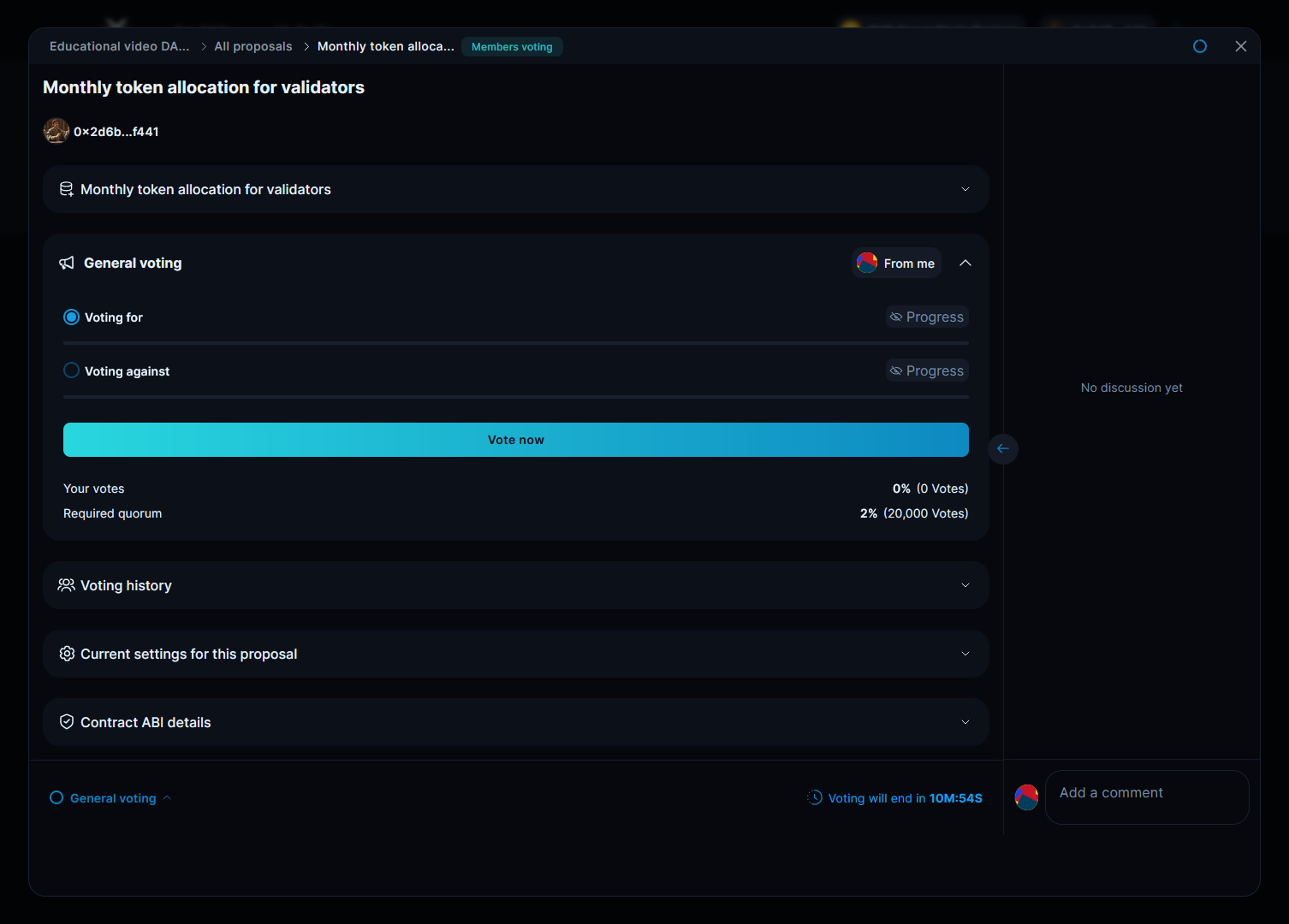
Establish token rewards for validators from the Treasury by specifying the number of tokens to be automatically disbursed to their wallets on a monthly basis.

### 2. Select the proposal creation method <a href="#id-2.-select-the-proposal-creation-method" id="id-2.-select-the-proposal-creation-method"></a>

<figure><img src="/files/bVmfe5bv0bBgq0FApvaC" alt=""><figcaption></figcaption></figure>

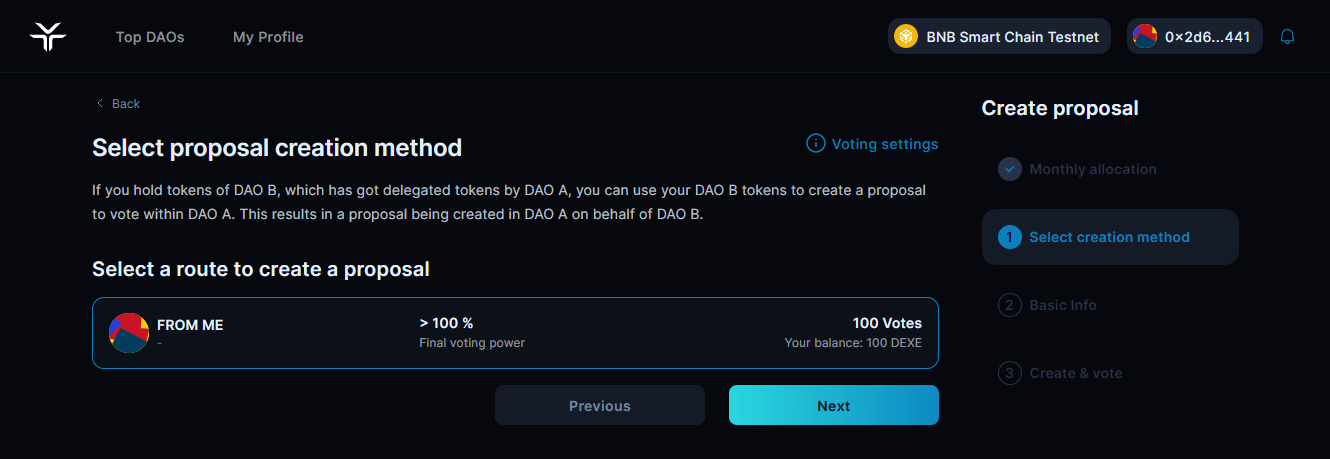
Select if you'll create this proposal directly with your tokens, or use [metagovernance ](/meta-governance.md)delegation.

### 3. Basic proposal info <a href="#id-3.-basic-proposal-info" id="id-3.-basic-proposal-info"></a>

<figure><img src="/files/L1xlESAw3OSZ7bzr20Lt" alt=""><figcaption></figcaption></figure>

Provide a clear title and comprehensive description so members understand what's being proposed. Review and click "Vote & Create Proposal" to launch the proposal and self-vote.

### 4. Create a proposal <a href="#id-4.-create-a-proposal" id="id-4.-create-a-proposal"></a>

<figure><img src="/files/q52ZKiSpVOp55cxWTFxW" alt=""><figcaption></figcaption></figure>

Specify the number of tokens you want to use and confirm the transactions.

<figure><img src="/files/78eB1qPpYHYimCmNpQir" alt=""><figcaption></figcaption></figure>

Click "Create" to launch the proposal, sign the transaction in your wallet and self-vote.

<figure><img src="/files/yjmpTAF3XG6CJIJogrBw" alt=""><figcaption></figcaption></figure>

Once live, participate in discussions around your voting changes proposal. If the quorum is reached, the new parameters will go into effect after execution.

Use this template whenever you want to establish regular rewards for Validators from the Treasury.

---

# Agent Instructions: Querying This Documentation

If you need additional information that is not directly available in this page, you can query the documentation dynamically by asking a question.

Perform an HTTP GET request on the current page URL with the `ask` query parameter:

```
GET https://docs.dexe.io/operating-and-governing-your-dao/7.-token-allocation-for-validators.md?ask=<question>
```

The question should be specific, self-contained, and written in natural language.
The response will contain a direct answer to the question and relevant excerpts and sources from the documentation.

Use this mechanism when the answer is not explicitly present in the current page, you need clarification or additional context, or you want to retrieve related documentation sections.